
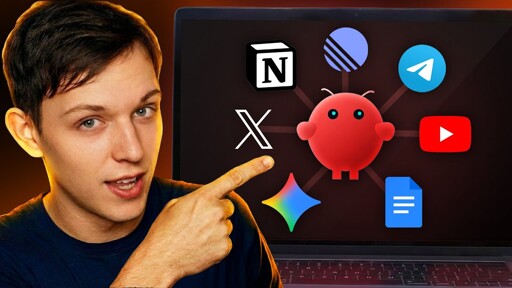
In this video: I explain how I run my content operation (2.5M+ followers across 15 accounts) using an OpenClaw/Claude Bot AI agent on a Mac Mini, controlled through Telegram, and how to find/view the agent’s workspace files (identity, mission, memory) in Finder/Cursor/VS Code.
I break down the most useful skills I’ve added and why they matter: a Notion skill for creating/updating docs and storing context, a SuperData-powered transcript extractor that pulls transcripts from social links into Notion, a Typefully/X skill to draft captions and create tweet drafts with video attached, plus Linear read/write access for task summaries and content planning. I also show skills for thumbnail research and face-swapping via Nano Banana (creating PDF thumbnail mood boards), a Google Images skill via SERP API that embeds relevant images into Notion scripts, and my favorite “Take the Wheel” skill that switches the agent into an urgent, one-question-at-a-time mode to drive long-form scripting to completion.
If you liked this video, please like, subscribe to my channel and leave a comment below on what skills you think you’d add to your workflow with OpenClaw!
- channel url: https://www.youtube.com/@rileybrownai
❌ You cannot legally use a standard Claude subscription (Free/Pro/Max OAuth token) directly in OpenClaw anymore
Anthropic’s consumer terms restrict using regular Claude web subscriptions as backend API tokens for third-party tools like OpenClaw.
So what are your options?
✅ 1. Use the Official Anthropic API (Recommended)
Instead of using a consumer Claude account:
Pros
Cons
✅ 2. Use an Enterprise / Team Agreement
If you’re operating at scale:
Pros
Cons
✅ 3. Switch to Another Provider with Compatible APIs
Many tools support OpenAI-style APIs. Alternatives include:
This may allow you to keep your existing tooling workflow.
✅ 4. Run a Local Model Instead
Instead of relying on Claude:
Pros
Cons
⚠️ 5. Use a Proxy Service (Legal Depends on Provider)
Some services legally resell API access.
However:
🚀 Summary
If you want stability and legality:
If you want independence:
If you want flexibility:
Let me know your goal (cost reduction, privacy, performance, scale), and I can help you choose the best path.